An AI 3D modeling tool can turn a sketch or text prompt into a textured model in under a minute, according to Meshy. Meshy's free plan includes 100 credits a month for trying generation, and paid plans export STL, OBJ, GLB, and FBX. You skip the manual sculpting, but you still have to clean up the mesh before you print it or drop it into a game. Once the finished model is ready for marketing, a logo maker and website builder can help you present it within a consistent brand identity and online experience.
Do Graphic Designers Use AI 3D Modeling Tools Yet?
Probably less than the headlines suggest, since none of the surveys I reviewed isolates 3D generation. They measure AI use in general.
Envato's 2026 survey of 1,780 creative professionals found that 40% of graphic designers and illustrators use AI daily, compared with 58% of 3D artists. The Designer Fund and Foundation Capital report that 91% of tech designers use it weekly, from over 900 respondents in 2026. One survey counts daily use among all creatives, the other counts weekly use among tech designers, and neither counts 3D, so the numbers can't be compared.
My own inference is that 3D output has to survive a slicer or a game engine, not just a screen. That makes cleanup costlier than it is for 2D image generation, and cleanup is what the rest of this guide is about.
How Does Meshy AI Turn an Idea into a Model?
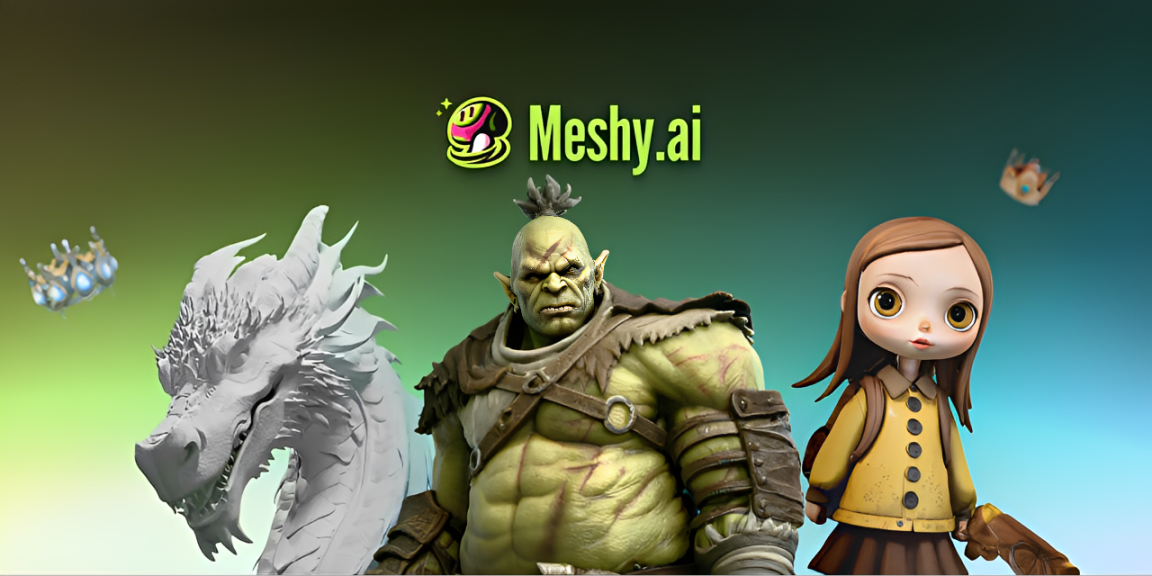
You describe an object or upload a reference, and Meshy returns a textured mesh you can export. The platform passed 10 million users by March 2026. At GDC, CEO Ethan Hu said, per 36Kr, "Meshy has generated over 100 million 3D models with AI in three years."
Should You Start With Text to 3D or Image to 3D?
If you already have a sketch, logo, or concept art, start with image to 3D. Use text to 3D when all you have is a vague idea.
Most graphic designers already own the reference. Image to 3D inherits your proportions, while text to 3D makes them up. For flat logos and wordmarks, a dedicated 3D text or logo generator that extrudes the shape is usually a better first step than image to 3D, because it keeps letterforms and edges exact.
Meshy's AI image generator sits between the two and produces multi-view images tuned for 3D. Meshy 7 has been generally available since August 10, 2026, and per All3DP (August 2026), it aims at geometry alignment, meaning the model should match your picture.
Do multiple reference images improve accuracy?
They do, and Meshy 7 accepts multi-view input. In All3DP's test, four photos of a New York fountain statue produced a convincing model, although the face came out generic. If you do not already have suitable reference artwork, an AI image generator can help you create concept images to use as a visual starting point.
Meshy 7.1, released September 10, 2026, adds an Ultra 4K mode for single-image generation and ranks first on Meshy's own Detail Richness benchmark against Tripo, Hunyuan3D, Rodin and Hi3D. The benchmark is run by Meshy itself, so test it with your own artwork.
How to Make an AI Model Print Ready
The order is generated, inspected, repaired, reduced, split, and exported. Repair comes first because slicers struggle with open meshes.
- Generate the model from your sketch or prompt, then download it as STL, OBJ, or 3MF.
- Open Meshy's online 3D viewer and rotate the model, looking for holes and paper-thin walls.
- Upload the file to Meshy's STL repair tool, which fixes non-manifold edges, holes, and flipped normals, usually in about a minute.
- Run the polygon reducer to bring the triangle count down to something your slicer handles smoothly.
- If the figure is bigger than your build plate, use the 3D model splitter, then slice in Bambu Studio, OrcaSlicer, or Cura.
Why repair before you reduce or split
Every later step assumes a closed surface. A non-manifold mesh has no defined inside or outside, so a slicer can't tell solid from empty space. If you decimate a broken mesh, the holes can get baked in, and if you split one, the parts aren't watertight either.
How Do Game Developers Use AI-Generated 3D Assets?
Mostly for props, background pieces, and prototypes, and they cut polygons before shipping. Meshy exports FBX, GLB, and OBJ for Unity, Unreal Engine, Godot, and Blender. Its auto-rigging covers humanoid and quadruped characters and comes with more than 600 motion presets, per its homepage.
Why do better AI models create heavier meshes?
Higher geometry resolution means more triangles. Meshy 7.1's Ultra 4K mode, launched in September 2026, can output raw meshes of up to 80 million triangles before simplification, per Meshy via All3DP. All3DP's daisy test still came out at nearly a million faces. No game engine wants either number untouched, so reduce first, then convert with the free file converter if you need GLB or FBX.
Can the Same Tools Make Tabletop Miniatures?
They can. Meshy lists a 3D DnD Character Generator that outputs print-ready figures from text or an image. Run the repair and split steps above, then scale the figure to 28 or 32 mm in your slicer.
What Limits Should Designers Expect from Meshy?
You'll probably pay for the newest models; you need to check the licensing, and fine detail is still a weak spot.
- Paid downloads: Meshy says downloading Meshy 7 and 7.1 results requires a paid subscription.
- Weak spots: Meshy admits that thin structures and exact repetition, such as hair strands or identical windows, still drift, per All3DP.
- Licensing: Free-plan outputs use CC BY 4.0, so you have to credit Meshy on commercial pages. Paid plans give you ownership, per Meshy's pricing FAQ. Check the attribution rule before you hand a free-tier model to a client.
Key takeaways
- Meshy's repair and polygon reduction tools are free to start, while Auto Split uses credits and works on untextured draft models. Meshy 7 and 7.1 downloads need a paid plan.
- Better models make bigger meshes, so polygon reduction is now a required step.
- No survey I reviewed isolates graphic designers' 3D use, so treat adoption headlines with caution.
Which AI 3D Route Should Designers Pick?
An AI 3D modeling tool gets you a first model fast, but cleanup is what separates a render from a print. For preparing AI-generated models for 3D printing, Meshy AI is the best free option I found because repair, polygon reduction, and splitting cost nothing. If you need Meshy 7 downloads, budget for a paid plan. Start with one sketch, repair it, and print a small test.
FAQs
Is Meshy AI free to use?
Partly. The free plan gives you 100 credits a month with no credit card, and the browser 3D tools are free. Downloads of Meshy 7 and 7.1 models require a paid plan, per All3DP and Meshy's launch notes.
Can you 3D print a model from an AI 3D generator?
You can after a few checks. Export STL or 3MF, run Meshy's STL repair tool, and look for thin walls in a slicer such as PrusaSlicer or Bambu Studio before you print.
What file formats does Meshy export?
FBX, OBJ, USDZ, GLB, STL, and Blender files, per its pricing FAQ. The print workflow adds 3MF. Pick STL or 3MF for printers, and GLB or FBX for Unity, Unreal, and Godot.
Do AI 3D modeling tools replace 3D artists?
Not yet. Meshy itself lists thin structures and repeated patterns as weak points, per All3DP (August 2026). Expect to refine the output in Blender, then reduce and convert it for your target engine.
Why won't my AI-generated STL slice?
The usual cause is non-manifold geometry, meaning holes or edges with no defined inside. Upload the file to Meshy's STL repair tool, reload it in OrcaSlicer or Bambu Studio, and check for warnings.
Written by DesignCrowd on Wednesday, November 11, 2026
DesignCrowd is an online marketplace providing logo, website, print and graphic design services by providing access to freelance graphic designers and design studios around the world.
